
How to Add a Video to Your Zoom Waiting Room (Higher Ed Examples Included)
Every day, institutions interact with prospective students, families, job candidates, faculty recruits, donors, and community partners—all through virtual meetings. Yet the waiting room is often a missed opportunity to create a lasting impression.
A short, well-crafted video placed in the Zoom waiting room can turn that idle time into a powerful moment for storytelling, brand experience, and audience engagement.
Why Zoom Waiting Room Videos Work
1. They reach audiences who haven’t seen your campus yet
Prospects, interviewees, and donors often join calls without any previous exposure to your campus or community. A short video—especially one centered on student stories—immediately creates familiarity and emotional connection.
2. They improve first impressions for every virtual touchpoint
Admissions calls, faculty interviews, donor meetings, partnership discussions—every audience benefits from a stronger introduction to your institution.
3. They leverage distribution you already have
You’re already holding Zoom meetings. A waiting room video simply turns an existing touchpoint into a strategic storytelling opportunity.
Examples From Colleges Using This Strategy
Several institutions have begun using Zoom waiting room videos as part of their communications and recruitment efforts:
Pratt Institute
Pratt partnered with IT to make their waiting room video a default across all institutional Zoom accounts. Staff can opt out if needed, but most adopted it immediately because the video enhances early engagement for admissions, hiring, and advancement conversations.
St. Mary’s College
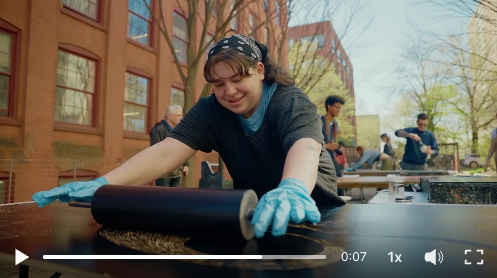
St. Mary’s uses student stories in their waiting room video, placing the two narratives below back-to-back into a single video. This gives every meeting participant a glimpse into real student experiences before the conversation even begins.
Where These Videos Fit Into a Larger Strategy
Video content strategy isn’t just about creating strong assets—it’s about intentionally placing them at high-impact touchpoints.
If the plan is to spend time and money on video and then rely solely on YouTube’s algorithm, the content will not reach its full potential. Institutions should instead be their own distribution engine by asking:
What touchpoints do we already control?
How can video make this moment more meaningful or informative?
What would it look like to create a video specifically for this touchpoint?
The Zoom waiting room checks all of those boxes.
What Kind of Video Works Best?
The ideal format is short, and either visual eye candy or story-driven:
15-second student stories
30-second cutdowns from longer narratives
Visuals of students doing things that build atmosphere and identity
These short-format videos also repurpose well across social media, digital ads, landing pages, and email campaigns.
Annual storytelling subscriptions—like Unveild’s model of producing 10 stories resulting in ~110 videos—naturally create the perfect inventory of short 15–30 second videos that can rotate through a Zoom waiting room throughout the year.
How to Add a Video to Your Zoom Waiting Room
The process is straightforward. Institutions can upload a video directly through Zoom’s Branding or Account Settings interface.
Why More Colleges Should Adopt This
Zoom waiting room videos are:
Easy to implement
Highly visible
Perfect for short-form content
Effective across multiple audiences
A natural extension of a story-driven content strategy
They create better first impressions and turn passive waiting time into active brand experience.
Want more insights on creating emotionally resonant content for higher ed?
Join my free weekly newsletter.👇